
Convert a DOCX File to a Zoho Writer File in Zoho WorkDrive
Here is our approach for converting a DOCX file to a Zoho Writer file in Zoho WorkDrive in a simple way.
Even a non-technical person can easily do it in just a few steps.

Approach
We can convert a DOCX file to a Zoho Writer file by following these simple steps.
1. Converting a DOCX File
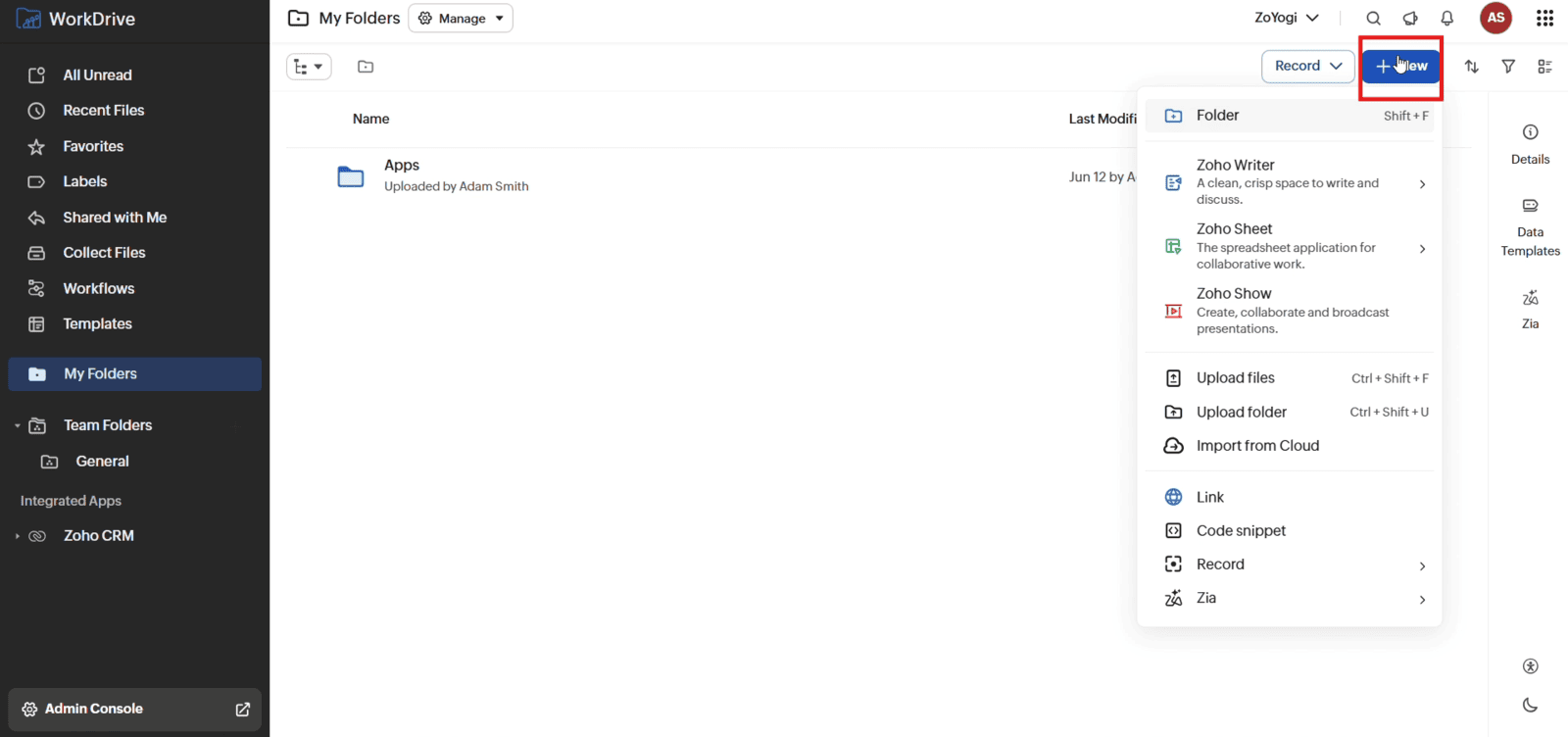
1.1 Open "My Folders" in Zoho WorkDrive and click "+ New"
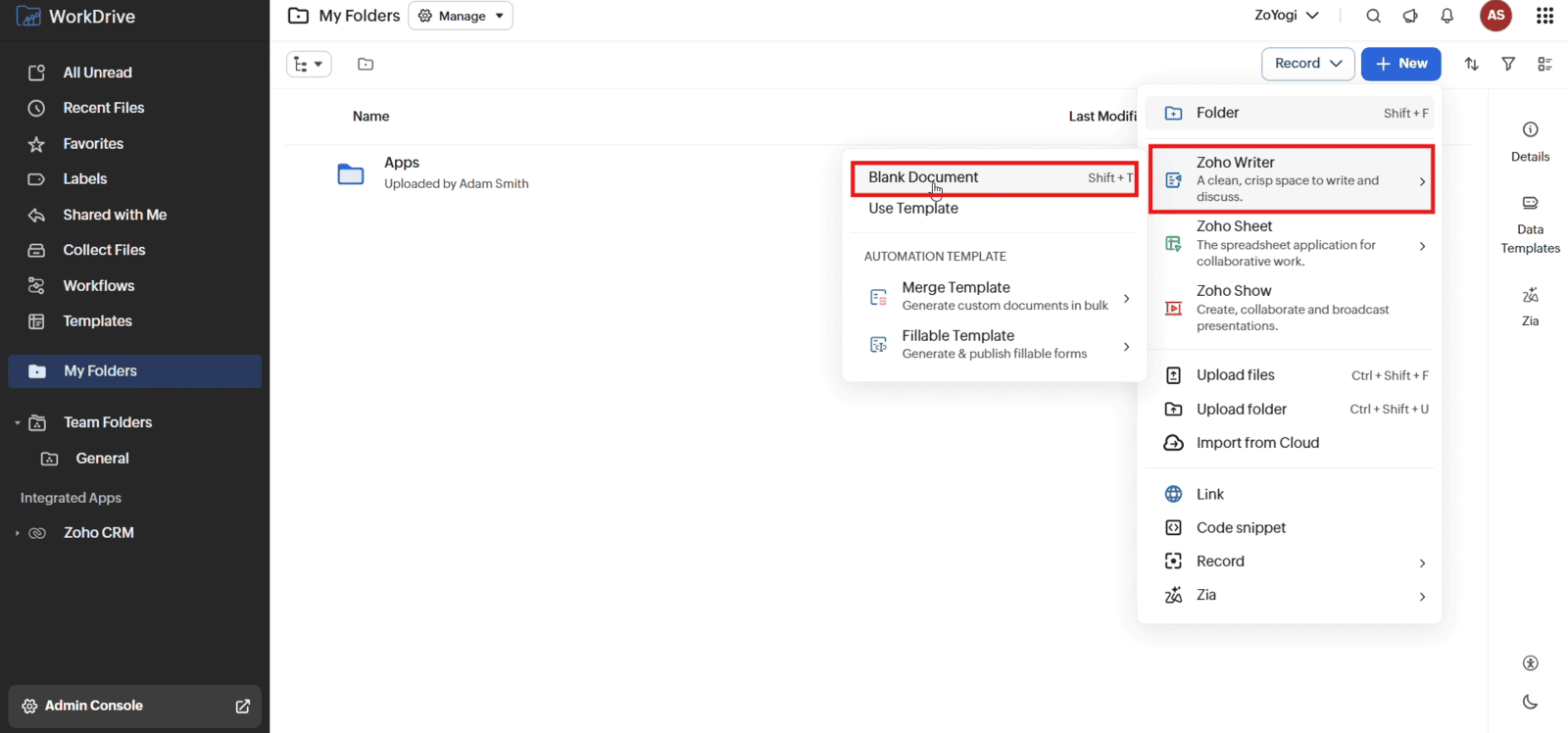
1.2 Select "Zoho Writer" and click "Blank Document"
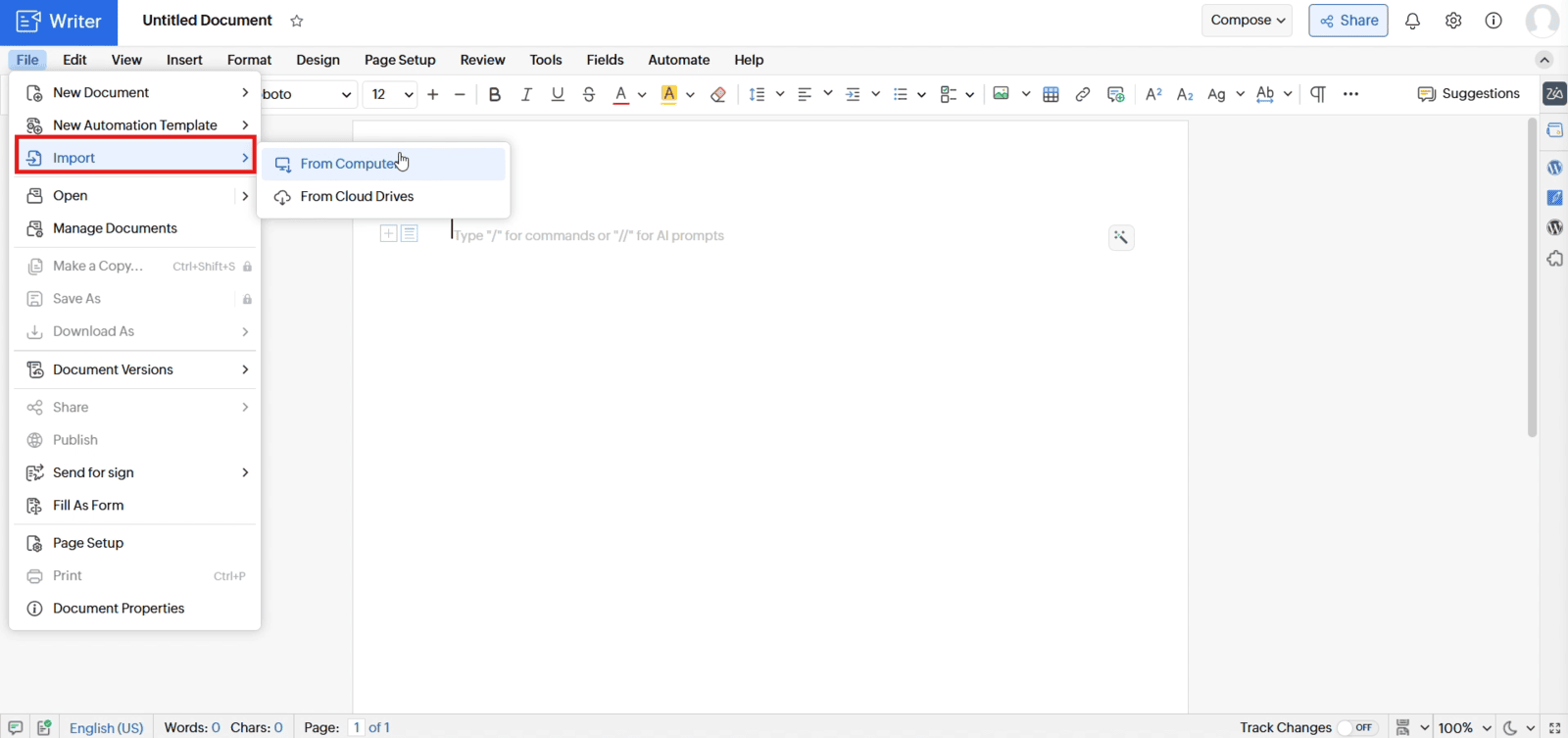
1.3 In Writer, go to "File" and click "Import"
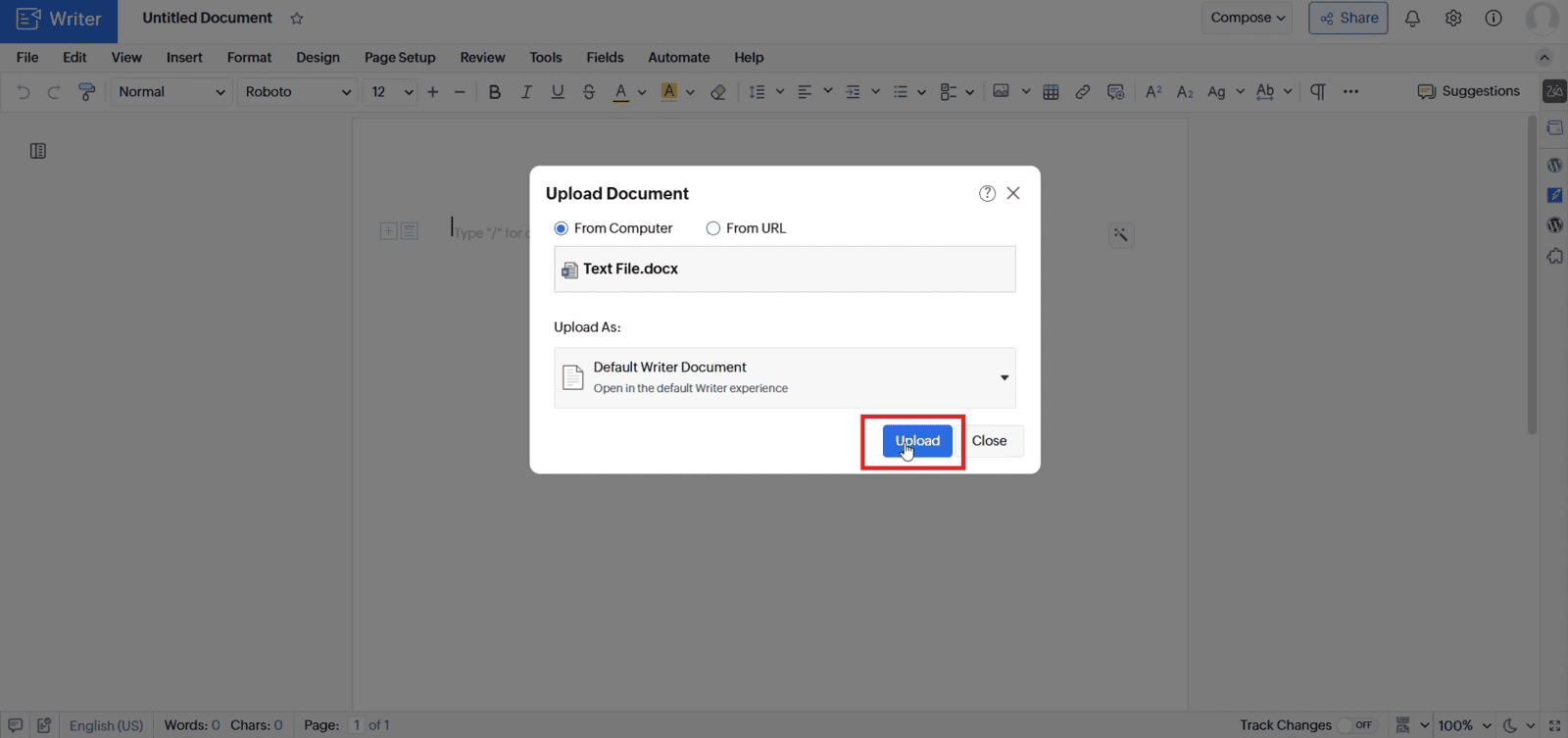
1.4 Select the DOCX file and choose "Default Writer Document" under "Upload As". Click "Upload"
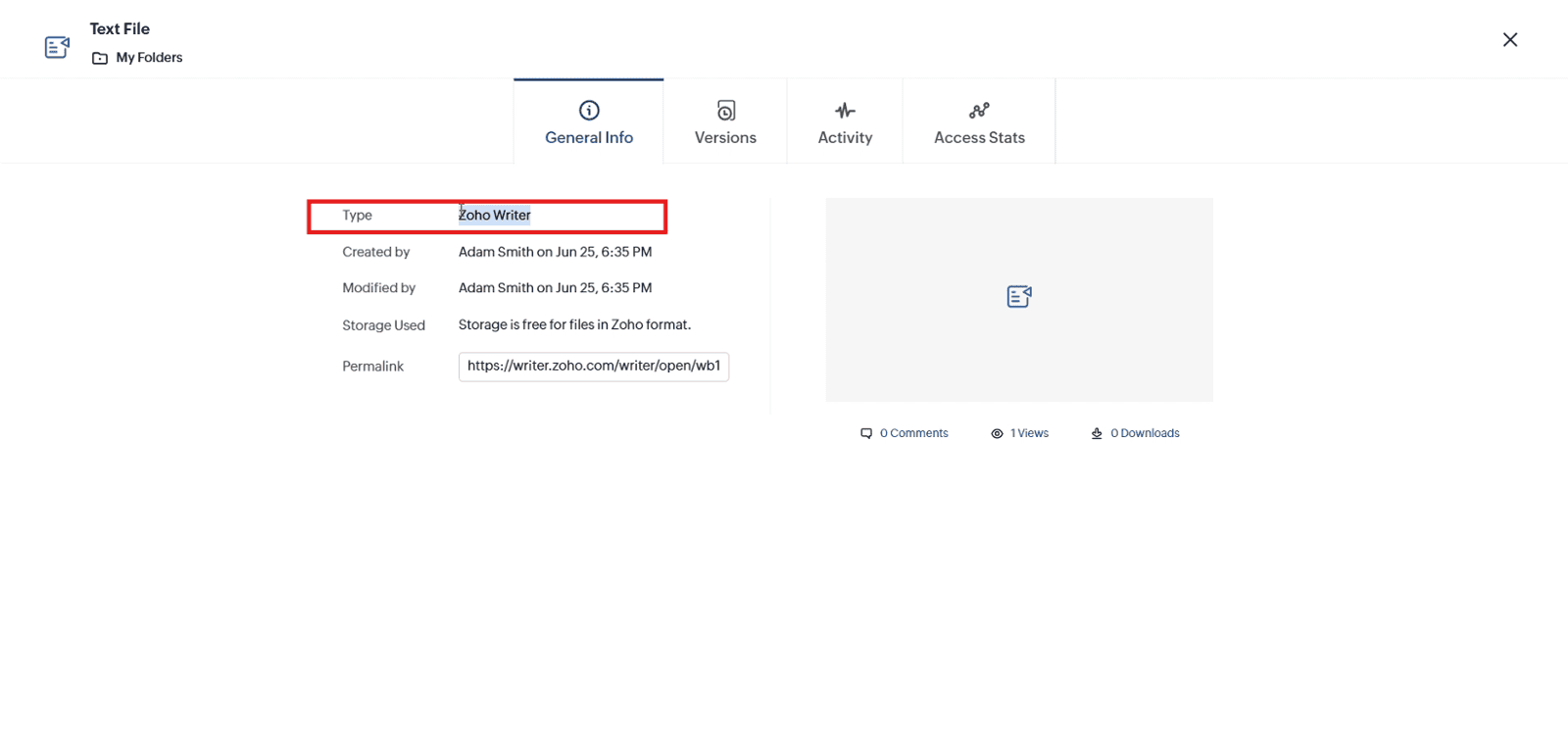
1.5 Open the uploaded file's properties and verify that the file type is "Zoho Writer"
Video: Convert a DOCX File to a Zoho Writer File in Zoho WorkDrive
Here is the video explanation of the above steps.


